






NEW Model!
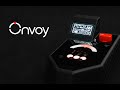
Onvoy 2 Ghost Box Communicator
 The next evolution in Ghost Box Technology
Designed specifically for paranormal investigations, this device presents entities with a simple and flexible way to communicate with us. Onvoy 2 offers the ability to deliver words, phrases, numbers, emotions and yes or no answers through a uniquely simple, transparent and documentable method.
FEATURES
- NEW: Sleek molded design
- NEW: Speaks words, numbers, letters and more
- Offers ghosts an easy way to communicate
- Classic modes including letter, numbers, yes/no and emojis
- NEW Modes: Custom words, Dictionary, Date Log and more settings control
- Scans environment for spikes in EMF, temperature and touch
- Full color display with indicator lights and audio alerts
- Full control over sensors, speed and sensitivity
- Rechargeable, long lasting battery
The newest form of communication with the paranormal
Just a simple vibration, energy spike or temperature change allows for open-ended communication with no complicated code for entities to navigate. By employing practices we theorize ghosts may already be familiar with, this device puts those learned tools to work. Through basic motion changes , magnetic fluctuations and temperature swings, spirits can now articulate their connections with us. In turn, we learn from them what methods suit best.
Let the environment speak.
Onvoy gets to work scanning through a set of diverse choices. While that’s happening, there are multiple sensors looking for environmental changes. As soon as a spike occurs, it makes a selection with an audio alert, displays it on the screen and lets us know which sensor was triggered.
 Videos
Onvoy Demonstration Video xxxxxxxxsx UPDATE
Communication beyond the dictionary.
As you work to communicate, words or phrases may develop that can be noted as potential responses during your investigations. The flexibility of this technique allows for delivery of names, abbreviations, other languages and even slang - going well beyond the boundaries of a dictionary. Being able to see which sensor was used provides transparency and aids us in learning which method might be the preferred option for each investigation or even location.
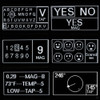
Choose how you want to interact with five modes including a set of letters, numbers, icons, yes/no selector and a display of readings plus full control over scanning speed and sensitivity of each sensor.
You can adjust the speed at which it scans and sensitivity of each sensor, independently.
Letters Mode
The classic Onvoy mode is back and better than ever. The new and improved Letter mode can store up to 10,000 letters in a single session. The Onvoy 2’s capacitive touch screen allows scrolling on the display for you to review past triggers and responses. The possibilities for responses are limitless. Slang, names, other languages, and abbreviations are just a few examples of what you can expect with just the latin alphabet as a form of communication. Voice responses in both English and Spanish.
Yes, No and Maybe Mode
No need for simple close-ended questions or binary responses to your yes/no questions. We added 'Maybe' as a possible response for those questions that are a little more complicated. Voice responses in both English and Spanish.
Numbers Mode
How old are you? What year is it? How many of you are there? These are all simple straight forward questions that you can ask a potential spirit with the Onvoy 2. Up to 1,000 responses can be recorded in a single session. Voice responses in both English and Spanish.
Dictionary Mode
The Onvoy 2’s take on a word bank takes a unique form. 10 pre-selected words are displayed on a screen to offer an entity the opportunity to use as a form of communication. Words are spoken by the Onvoy 2 when triggered to give a clear alert and response for both the investigative team as well as the spirit.
A timer refreshes the word list and is controlled by the side widgets on the screen. You can make the selected words last longer, shorter, or even pause and refresh the screen yourself if you feel the provided words have no direct influence on the investigation site. The words selected to be on the Onvoy 2’s word bank is the same word selection as the tried-and-true Ovilus. This is the same set of words that have been on Ovilus devices for over 20 years! Voice responses in both English and Spanish.
Emoji Mode
Onvoy 2 can also respond with emojis to represent emotions including 3 new emojis.
- Happy
- Sad
- Neutral
- Puzzled
- Angry
- Scared
- NEW: Jealous
- NEW: Disgusted
- NEW: Shy
Voice responses in both English and Spanish.
Direction Mode
Direction Mode provides a spinning arrow around the screen. Communicate with the potential spirit by asking to trigger the device when the arrow points in its direction. Or maybe even ask to point at any objects that hold value to them. Triggered words are alerted with a standard audio cue.
Custom Words Mode
Build your own word bank on the Onvoy 2’s custom page. 3 profiles are offered to you that will be auto saved for any future investigations. Up to 10 words can be created per profile, just tap on any box to input your own unique word. Choose words directly related to the investigation such as names, locations, or objects. Triggered words are alerted with a standard audio cue.
Settings
Onvoy 2 provides a settings menu for you to adjust the device to your needs
- Date/Time - This settings will reflect your triggered responses in the log page. Adjust this to properly time the Onvoy 2 with you other equipment during an investigation
- Sound - Adjust the sound of your triggered responses.
- Brightness - Adjust the brightness of your display.
- Language - Select your language on the right of the screen.
Log
Review past evidence in the log page on the device. Date, time, result, and trigger will be displayed for you to scroll through. Up to 1,000 results can be displayed at once before old results are overwritten by new ones. Click the clear button to refresh the page once you are starting a new investigation.
More modes and languages?
Onvoy 2 will provide free updates for years to come! We have many more ideas for new modes and languages. When we launch with anything new a simple update via the SD card is all you need to get more out of your Onvoy 2. New languages will be created in the future and available for purchase as a downloadable update.
Transparency, at its core. Active sensor readings at all time.
Transparency is the core of Onvoy. Magnetic energy, vibration level, and temperature are displayed on a graph at every logging page of the device. That way when the device triggers, you can actively see when something in the environment changed. Every trigger displays what caused the result and is logged on the Log page for future review.
This tool is uniquely simple for ghosts to interact with. You can even produce words yourself to demonstrate how easy and effective it can be. By simply tapping the device you can demonstrate, to ghosts, how easily they can communicate with us. Sensitivity adjustments are provided on every page as well. Off, low, mid, and high.
How is Onvoy different than other 'word generator' devices?
In short, Onvoy does NOT have the ability to spit out random words like many other devices and mobile apps. Anything that is displayed is intentional. And since there are no internal word banks to choose from, if a word is actually formed, you can be sure it was not randomly selected by the device. It actually requires an external force to make a selection. As such, you will always be informed on how each selection was made.
VIDEO Demo: How does Onvoy differ from other word-producing ghost boxes? (XXXXX NEW L INKS)
The purpose of this straightforward approach is so that we, as investigators, can see how each selection is made. Other devices, mobile apps and software that use word databases and complex formulas to manifest a word require an entity to learn the intricacies of software and coding systems. How do they even know how to pick the intended word? If we, as humans, cannot make it say a specific word, how can we expect a ghost to?
How can I know the difference? Simply put, you should be able to make a word come up on your own. With the Onvoy, you can simply tap the device on the appropriate letters to spell a word at will. No other device currently has this function.
Onvoy is here to evolve that methodology.
By simplifying and making this process more clear, Onvoy presents a more transparent and documentable technique for learning in many ways. Ghosts, who we mean to communicate with, will learn an easier way to interact and WE will learn what methodology they prefer. All the while, Onvoy provides a more simple and completely transparent process for the sake of ease, documentation and learning.
 This product is made right here at GhostStop.
- Molded design.
- Rechargeable long-life battery over 5 hours and unlimited when plugged into power of USB battery pack
- Adjustable sensitivity on all sensors
- Adjustable scanning
- Various LED lights for visible indicators
- Audio alert tone for event notification
- Full color touch display
- Metal tripod mount on the bottom for easy placement or mounting
- Scanning speed from ~25 letters per minute to ~600 letters per minute
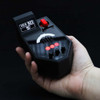
- Onvoy Size: 5.5"w x 3"h x 1.5"d
- Display screen size: 4"w x 2.25"h
- EMF sensor is 'natural' magnetic only (to fortify from most man-made interference like phones and walkies). Magnetic flux density sensing up to ±160 mT.
Battery Life
The built in battery lasts over 5 hours of continuous use on a single charge. Battery life is highly dependent on screen brightness and how many events are triggered. It can be recharged using any USB charger including a mobile USB battery pack for a quick boost. Carry it with a battery pack or plug it into a wall outlet for unlimited use. It's easy, quick and saves money on batteries.Includes
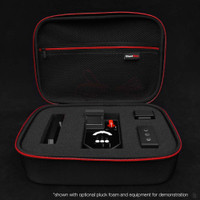
- Onvoy 2
- USB cable (USB C)
DIRECTIONS
QUICK START GUIDE
- Charge before use. (see charging instructions)
- Turn device on by turning the ON/OFF switch to the ON position.
- Select mode on the bottom right portion of the page.
- Adjust Sensitivity on the bottom left.
- Change language and data/time on the settings page.
- Turn device off by turning the ON/OFF switch to the OFF position
POWER & CHARGING
- Using the USB cable provided, plug it into any standard USB power source. For plugging into a standard wall AC outlet you will need a common AC/USB adapter (not included).
- A fully-charged battery will last over 5 hours depending on settings.
- Charging will take about 1 hour
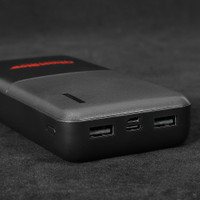
- Device can be used while it's charging for unlimited use via wall outlet adapter or USB battery pack. A USB battery pack is handy so you can use the device and continue charging all while being completely mobile.
MODES
To change modes, select the dropdown menu on the bottom right of the screen. From there, you can move to whichever mode you like.
- Alphabet Mode: This mode is used for collecting a set of letters in the English/Latin alphabet (A-Z)
- Number Mode: This mode is used for collecting numeric responses (0-9)
- Yes / No Mode: This mode is used for gathering a Yes / No / Maybe response.
- Dictionary Mode: This mode displays 10 pre-selected words for an entity to respond with. Words refresh over time.
- Emoji Mode: This mode allows for displaying icons representing emotions (examples: Happy, Sad, Angry).
- Direction Mode: This mode provides entities an opportunity to indicate a direction. An arrow will spin around a full circle. Spikes will stop the arrow and display the last noted direction.
- Custom Mode: This mode displays 10 customizable text boxes with 3 different profiles for the user to customize their investigation to their needs.
- Settings: Adjust date/time, language, sound, and screen brightness
- Log: Review past triggers on the Log page. Each line displays date/time, the result, and what triggered the response
SCANNING
Onvoy will scan through a set of options depending on the mode you are in. While scanning you will see a selector box over each choice allowing an entity an opportunity to select one of their choices with proper timing.
While that is happening, multiple environmental sensors are looking for spikes in EMF (magnetic), temperature or a vibration. When a spike is detected, a choice is made from the screen and displayed to the right.
SETTINGS
Onvoy lets you adjust to the environment which can vary each investigation location. You can adjust the speed at which it scans and sensitivity of each sensor.
- Scanning Speed: Move the slider button left or right to adjust how fast you wish the selector screen to scan. This also determines how fast or slow the sensors take readings. Move the slider left for slower scans or right for faster scans.
- Sensor Sensitivity: Each sensor (EMF, Temperature and Tap) have independent sensitivity adjustment sliders. Slide the bar down for OFF and lower sensitivity or up for greater sensitivity.
- Language Selection: By default, Onvoy includes English and Spanish languages. Each can be chosen on the Settings screen. Make sure one is selected before leaving this screen to ensure proper use.
INDICATORS
In addition to the display screen, Onvoy utilizes various LED lights to help indicate events.
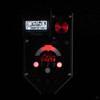
- Event Arc: The lighted arc on the back of the device will glow white when it is scanning the environment. When the device is triggered, it will flash the color associated with the sensor.
- EMF: Red
- Vibration: Blue
- Temperature: Purple
FREQUENTLY ASKED QUESTIONS
- Does Onvoy talk or speak words audibly?
Yes! Onvoy 2 can respond in both English and Spanish with more to come. - Does Onvoy save the words?
Onvoy 2 logs the results on the Log page. Up to 1000 results can be saved. - How long does the battery last?
4-6 hours depending on brightness.